Dr. Wesley Fryer (@wfryer) presents a variety of conference breakout sessions and is regularly updating / customizing them. A linked list of Wesley’s past presentations available on his Presentation Handouts wiki. If you’re interested in checking Wes’ availability to speak at your event please submit this form.
What will we create today? @wfryer #KUSOEStrategies It is time to redefine normal.
— Denise LegoreSeawood (@dlegore) June 5, 2015
Current breakout sessions Wesley offers (updated for 2017) include:
Discovering Useful New Ideas
 If “chance favors the connected mind,” as Steven Johnson maintains, what are some of the best strategies educators can use to discover new ideas useful for teaching and learning? Learn how to use the free apps Flipboard and Nuzzle, Twitter lists, and other strategies to more effectively discover, save and share ideas useful professionally and personally. Learn why it is important to customize your personal or classroom Twitter account to show others your particular educational focus and interests. Learn to use Twitter hashtags to connect locally and globally to learn and grow as a professional educator.
http://wfryer.me/ideas
 Visual Communication with iOS InfoPics
We live in a very visual society and culture. In this hands-on session, participants will learn how to become more effective and powerful visual communicators by creating InfoPics on an iOS device. Learn how to find, save, modify and share copyright-friendly images with related textual annotations.
App Smashing to Youtube
 One of the most powerful ways to use mobile devices in the classroom is to help students share their voices online on a classroom YouTube channel. In app smashing to YouTube, we will explore and demonstrate how to go from a planning storyboard, to a video creation iPad app, to the teacher iPad with AirDrop or InstaShare, to the classroom YouTube channel with YouTube Capture, and finally to a YouTube video playlist.
http://wfryer.me/appsmash
Newton’s Laws of Classroom Blogging
 Just like Newton’s Laws of Thermodynamics, there are Newtonian laws of classroom blogging. In this session we will explore why and how you can elevate writing in your classroom connecting to an authentic audience. The five laws are: All ideas get better with feedback. An authentic audience improves writing. Blogs expand the walls of the classroom. Blogs encourage sharing. Blogs encourage relationship building.
http://wfryer.me/newton
Sharing Student Work Online
 When students at school use media to “show what they know and can do,” they need safe, adult-moderated, online spaces to share their digital work with others and receive thoughtful feedback. Learn how to to use free websites like KidBlog and Blogger, along with apps like Easy Blogger Jr., to share student work online and moderate feedback. Discuss how to help students “compose quality comments” for others. Explore workflows to safely use a classroom YouTube channel to publish and share student work, also with moderated feedback. See examples of school and classroom permission forms for publishing student work. Get practical ideas for “normalizing” the regular, open publication of student work at your school for moderated feedback from peers, parents, and others around the world.
http://wfryer.me/studentwork
Classroom “Home Base” Websites
 Every classroom teacher and instructor needs a “home base” website to share links, videos, announcements, and other resources online. A home base website answers the common question, “Where can I find this later?” It can also facilitate sharing and collaboration among teachers. Learn how to use Google Sites (free) to create a dynamic, media-rich “home base” website accessible from mobile devices as well as laptop/desktop computers. View examples of websites like these (here and here) currently used by classroom teachers. Learn to create a “web bookmark” to your classroom home base site on an iPad for quick student access. Explore strategies for sharing “curiosity links,” videos, lesson plans, calendars, and other kinds of media.
http://wfryer.me/homebase
Student News Website Ideas
 Every school should utilize social media and digital publishing tools to “share stories of learning” with their community and the world. Learn about strategies and tools teachers are using to help students practice digital citizenship and develop “tradigital” literacy skills. View websites created by student Storychaser clubs and student news groups at different grade levels, including elementary, secondary, and college examples. Get practical ideas and inspiration to start your own class or club for sharing student news!
Engaging STEM Lesson Ideas
 Engineering design challenges can provide simple yet challenging ways to engage students in problem solving, collaboration, and other STEM (science, technology, engineering and math) skill development activities. Learn about different design challenges which require minimal or inexpensive supplies readily obtained at a local grocery store. Explore strategies and tips for successfully facilitating STEM lesson activities, in which students are self-directed in seeking different approaches and solutions to design challenges.
stem.wesfryer.com – STEMseeds.org
Creating Multimedia eBooks
 Enhanced eBooks on iPads, iPhones and iPod Touches can include audio, video, and interactive animations in addition to digital text, images and links. In this session we’ll view examples of different multimedia eBooks created by both professional authors as well as students. We’ll learn how to use the iPad app “Book Creator” to create and share enhanced/multimedia eBooks using DropBox for free cloud storage/distribution. We’ll also explore how to use “Creative Book Builder” to create multi-platform eBooks with reflowable text, and how to create printed versions of your books using the print-on-demand service Lulu.com.
http://wfryer.me/ebooks
Visual Notetaking Deepens Learning
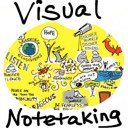 Visual notetaking is a process of representing ideas non-linguistically. (That’s a fancy of way of saying, “drawing pictures.”) Visual notetaking can include concept mapping, but also more artistic ways of visually capturing and representing ideas. On the simpler side of the visual notetaking continuum, visual notes can be used to create narrated art. On the complex end of the spectrum, some visual notetaking applications support the creation of whiteboard animation videos which include audio narration synchronized to screencasts of drawings. Visual or graphic facilitation can be used at meetings to summarize presentations and guide discussions. Whether simple or complex, visual notes can be used to more deeply process information as well as communicate it to others with images. Come join us as we explore and practice visual notetaking.
http://wfryer.me/vnotes
Quick Edit Videography
 A “quick edit video” is an edited digital video including full-motion video footage, audio, still images, and/or text captions, edited AND published online using only a wireless, digital device like a smartphone or touch tablet computer, and a website like YouTube. Participants in this session will learn how to use the free iOS and Android app “YouTube Capture” to trim videos, add copyright-friendly music tracks, combine videos, and publish them directly to YouTube. Tips and strategies for managing and sharing student-created videos in a classroom with student iPads will also be explored.
http://wfryer.me/qev
Geo-Maps for Geo-Literacy
 A Geo-Map media project can include text, hyperlinks, images, and videos connected to locations on virtual maps. Geo-Map projects can provide windows into events, concepts, places and stories which join disparate media elements into a cohesive digital narrative. Come learn how to use Google Map resources to start creating Geo-Maps and having your students create Geo-Maps to show what they know using multimedia combined with powerful, digital geographic tools!
http://wfryer.me/gmap
Online Surveys for Beginners
 Free Google Forms can be used to collect and share student data from experiments or other class activities. Basic spreadsheet formulas can help teachers and students analyze and understand collected data. Learn how to create, share and use Google Forms in the classroom. Learn to apply several different spreadsheet formulas to manipulate and analyze data. Learn to use analyzed data to create graphs with free websites like NCES “Create a Graph.” Add “online surveys” to your digital toolkit and the toolkits of your students!
Fabulous session and can't wait to get back to share with our teachers and students @wfryer #MiamiDevice pic.twitter.com/po57Q0frRB
— Jeanne Wright, NBCT (@teachjwright) November 13, 2015
Past conference breakout / professional development sessions offered by Wes are available in this Google Doc. Links to all Wes’ presentation handouts/resources are available on http://wiki.wesfryer.com.

To inquire about availability and booking, please contact Wes directly using this electronic contact form. Reach Wes by phone at 405.562.6175.
Return to Speaking
Image attribution:
- Flipboard iTunes app icon
- Sharing icon by Vectorgraphit on iconfinder.com
- Google Sites icon
- Newspaper icon by Maja Bencic on iconfinder.com
- STEM design icon by Everaldo Coelho on iconfinder.com
- Book Creator iTunes app icon
- Visual Notetaking graphic by Wesley Fryer on Flickr
- YouTube Capture iTunes app icon
- Google Hangouts icon
- Google Forms icon